
Most people never look at the side of their keyboard. Put yours at eye level once and you’ll see the rows are not flat. The number row stands taller, the bottom row leans back toward you, and every key has a small tilt of its own. That shape is the keycap profile, and you feel it every time you type, long before you notice it.
The keycap profiles most keyboards use
A profile is the height and the slope of the keycaps in each row. Sculpted profiles give every row its own angle, counted from R1 at the top to R4 near the spacebar, so your fingers know where they are without looking down. Uniform profiles use one shape for every row. The board looks tidier, and any key can go anywhere.
The one you probably have is OEM, because most keyboards ship with it. Cherry is a little lower, and it’s the favorite of custom keycap sets because the whole board sits closer to the desk. SA is the tall one, round on top and steep between rows, and it makes a keyboard look like an old typewriter. DSA and XDA are the common uniform shapes. DSA is low and rounded, and XDA is a bit taller with a wide, flat top.
The shapes we cast our artisan keycaps in
An artisan keycap has a problem the rest of the set doesn’t. It has to sit among keycaps it was never made with. So before a design is sculpted, we decide which profile it borrows, and all of them live on one drawing, side by side.
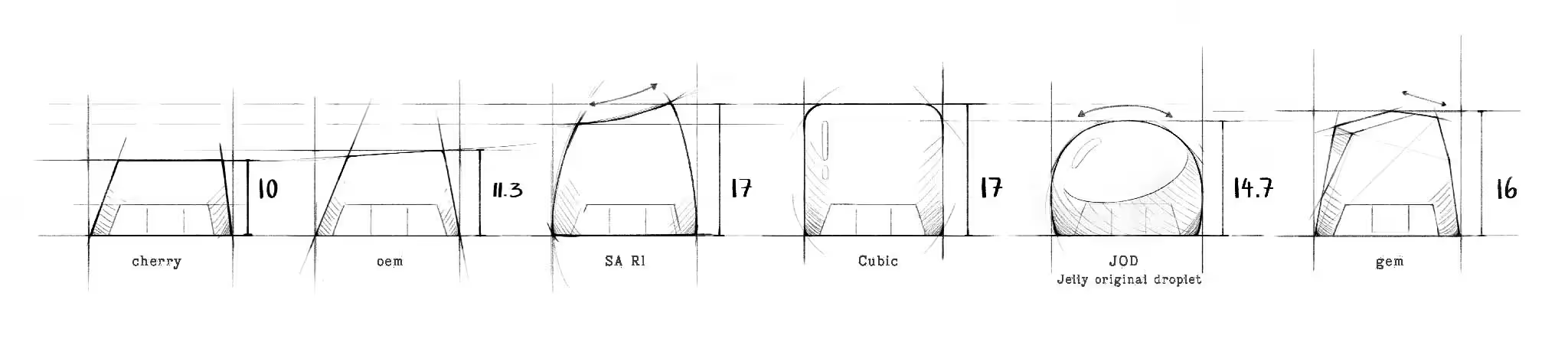
The numbers are heights in millimeters. Cherry sits at 10 and OEM at 11.3, which is why those two disappear into most boards. SA R1 and Cubic both reach 17. Cubic is the squared box we use for the built worlds, a keycap you look into like a small diorama. Gem stands at 16. The one at 14.7 is JOD, the Jelly original droplet, the round dome we drew ourselves, and the dragons of Dragons of Eden sit inside it.
Our SA keycaps are cast in R3, and a 1u keycap defaults to SA R1, the tall top-row shape and one of the two tallest on the drawing.
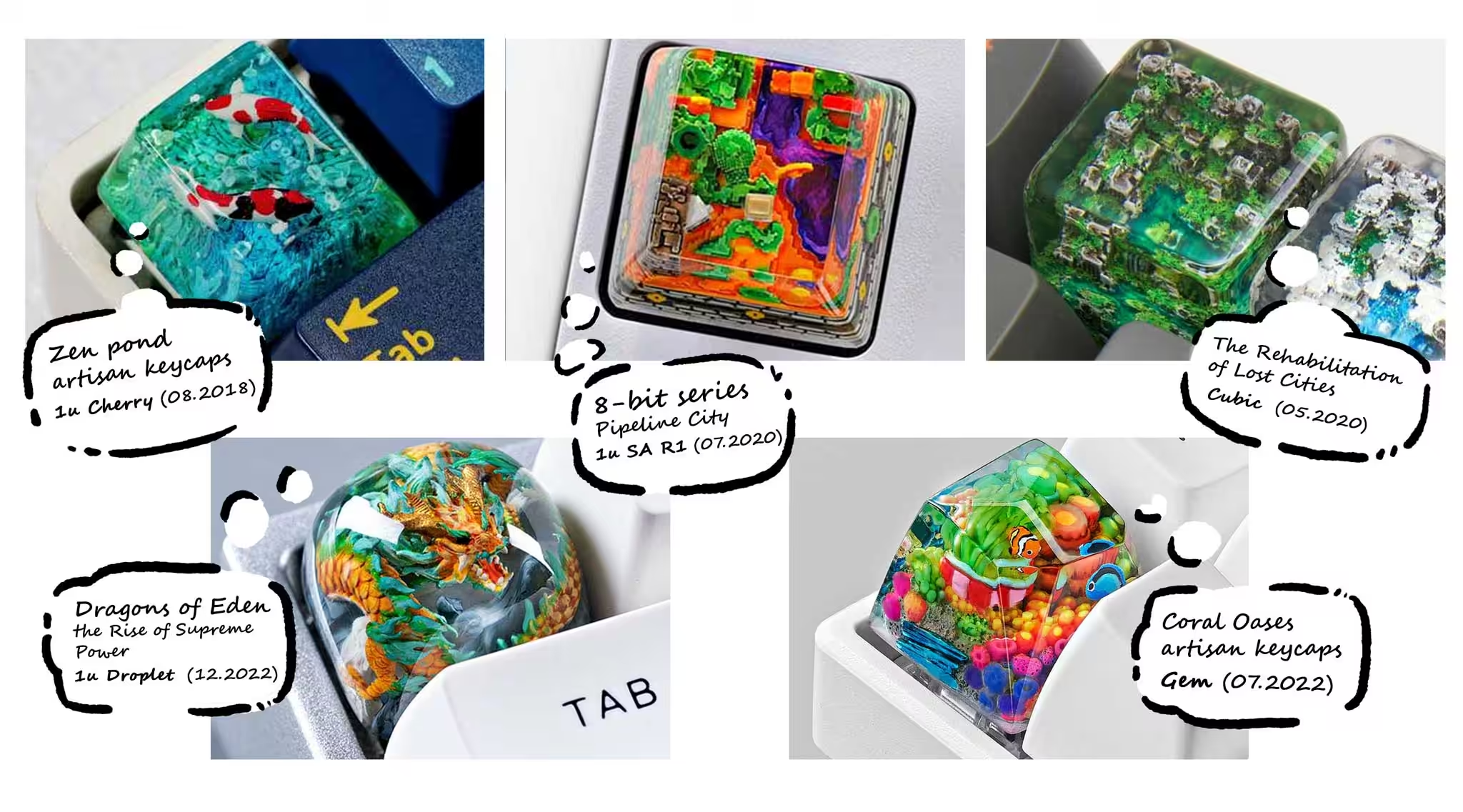
The photo above follows five of them over the years. Zen Pond was cast in Cherry in 2018. Lost Cities went into Cubic in 2020, and Pipeline City into SA R1 a couple of months later. Coral Oases got the Gem shape in 2022, and Dragons of Eden the droplet at the end of that year.
How to choose a keycap profile
Start with the keycaps already on your board. A Cherry artisan keycap next to a Cherry set looks like it grew there. Put the same keycap on an SA board and it sinks into the row. If you don’t know what your set is, the name is almost always in the listing where you bought it.
Then think about where the key goes. On a sculpted board, Escape lives in the top row and wants an R1 shape. The shapes made for the artwork, the droplet, Cubic and Gem, stand apart on any board, and that is the point of them. They go on Escape, or on a key you look at more than you press.
Profile is half of the fit. The stem under the keycap and the size of the key are the other half, and we wrote those up in Will artisan keycaps fit my keyboard?